AI Answers Score

AEO WordPress Plugin to Optimize Brand Visibility in AI Search

AI Answers Score is the first WordPress plugin built specifically for Answer Engine Optimization (AEO). Get real-time scoring, AI-powered suggestions, structured analysis, and technical confidence — all inside your editor.

AEO WordPress Plugin

Everything You Need to Rank in AI-Driven Search

A complete AEO framework combining scoring intelligence, structured evaluation, AI suggestions,
analytics, and technical optimization — built natively for WordPress.

5-Stage AEO Optimization Framework icon

5-Stage AEO Optimization Framework

Real-Time Scoring Engine icon

Real-Time Scoring Engine

Weighted Category Intelligence icon

Weighted Category Intelligence

AI-Powered Summary Suggestions icon

AI-Powered Summary Suggestions

Manual Summary Editor with Live Counter icon

Manual Summary Editor with Live Counter

Drift Detection System icon

Drift Detection System

Advanced Analytics Dashboard icon

Advanced Analytics Dashboard

Automatic JSON-LD Schema Output icon

Automatic JSON-LD Schema Output

REST API Access icon

REST API Access

Bulk Re-Scoring & WP-CLI Support icon

Bulk Re-Scoring & WP-CLI Support

CSV & PDF Audit Reports icon

CSV & PDF Audit Reports

Aurora Intelligence UI System icon

Aurora Intelligence UI System

Auto-Generated Summary
& AI Suggestions

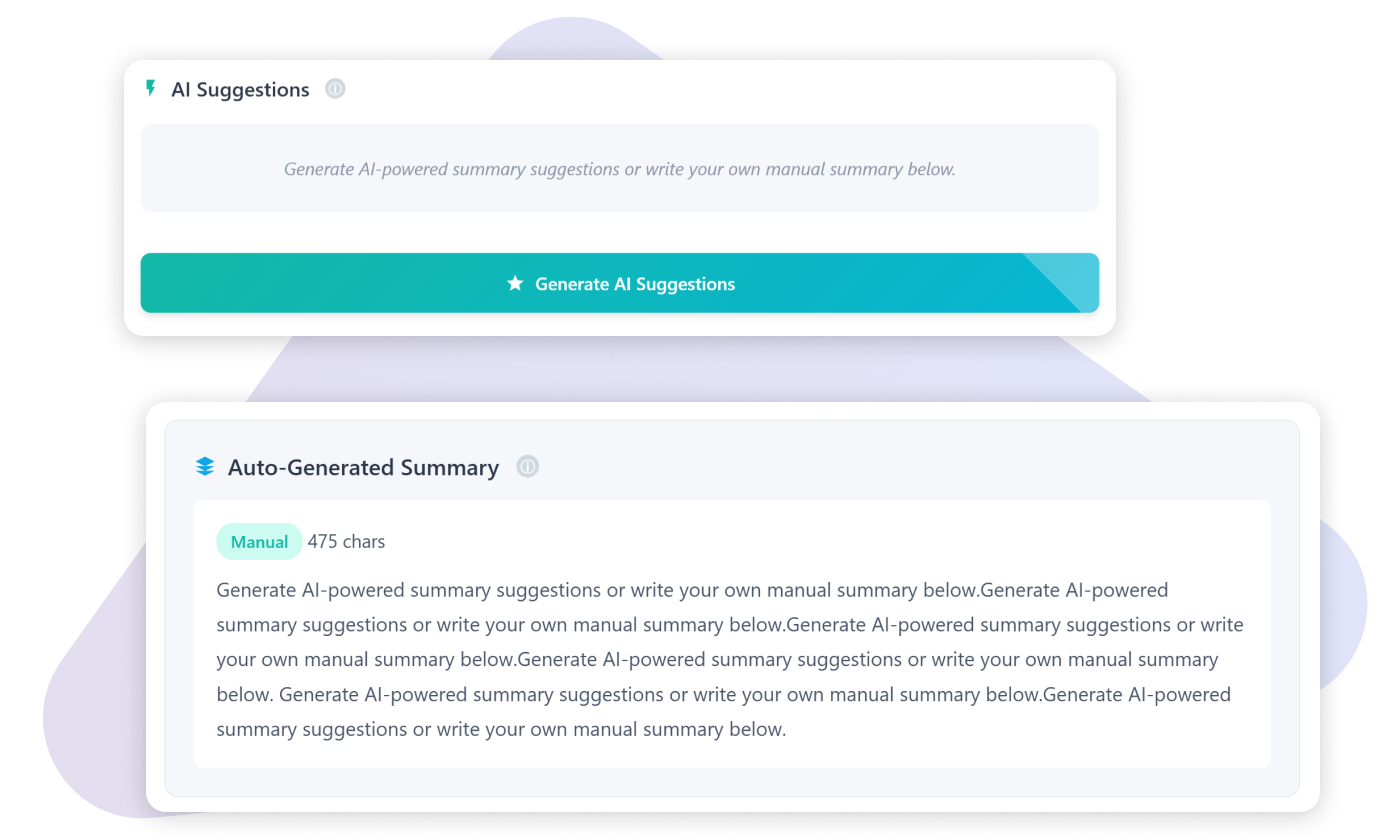
AI engines prioritize clear, structured, extractable answers. AI Answers Score helps you generate optimized summaries that improve how your content is understood and surfaced in AI-driven search.

  • Generate 3 AI-powered summary variations instantly
  • Optimized 40–60 word answer-focused summaries
  • One-click apply to manual editor
  • Live word counter for precision
  • Designed for answer extractability and clarity
  • Automatically included in structured schema output
AEO WordPress Plugin

Real-Time Scoring &
5-Stage AEO Checklist

Optimize While You Write — Not After Publishing

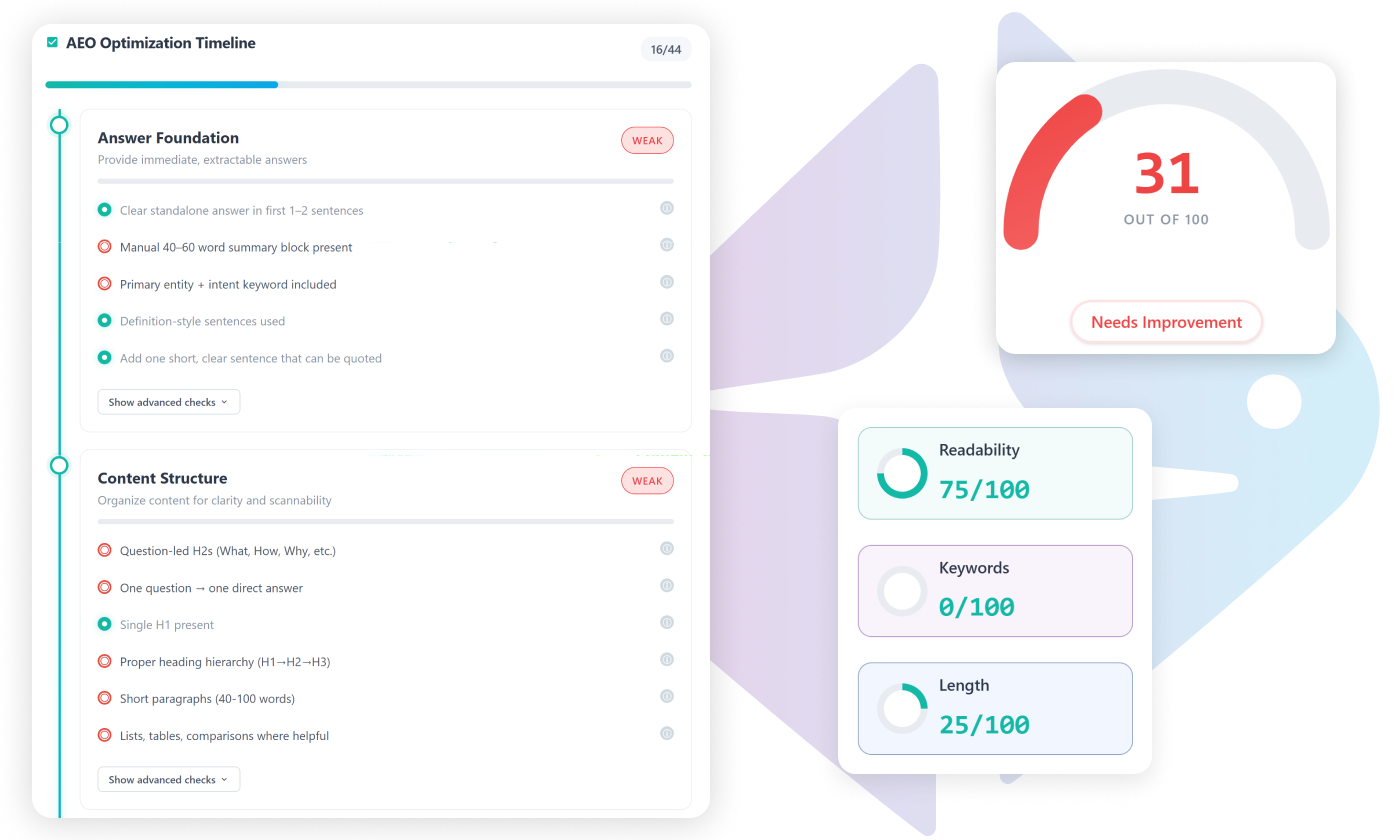
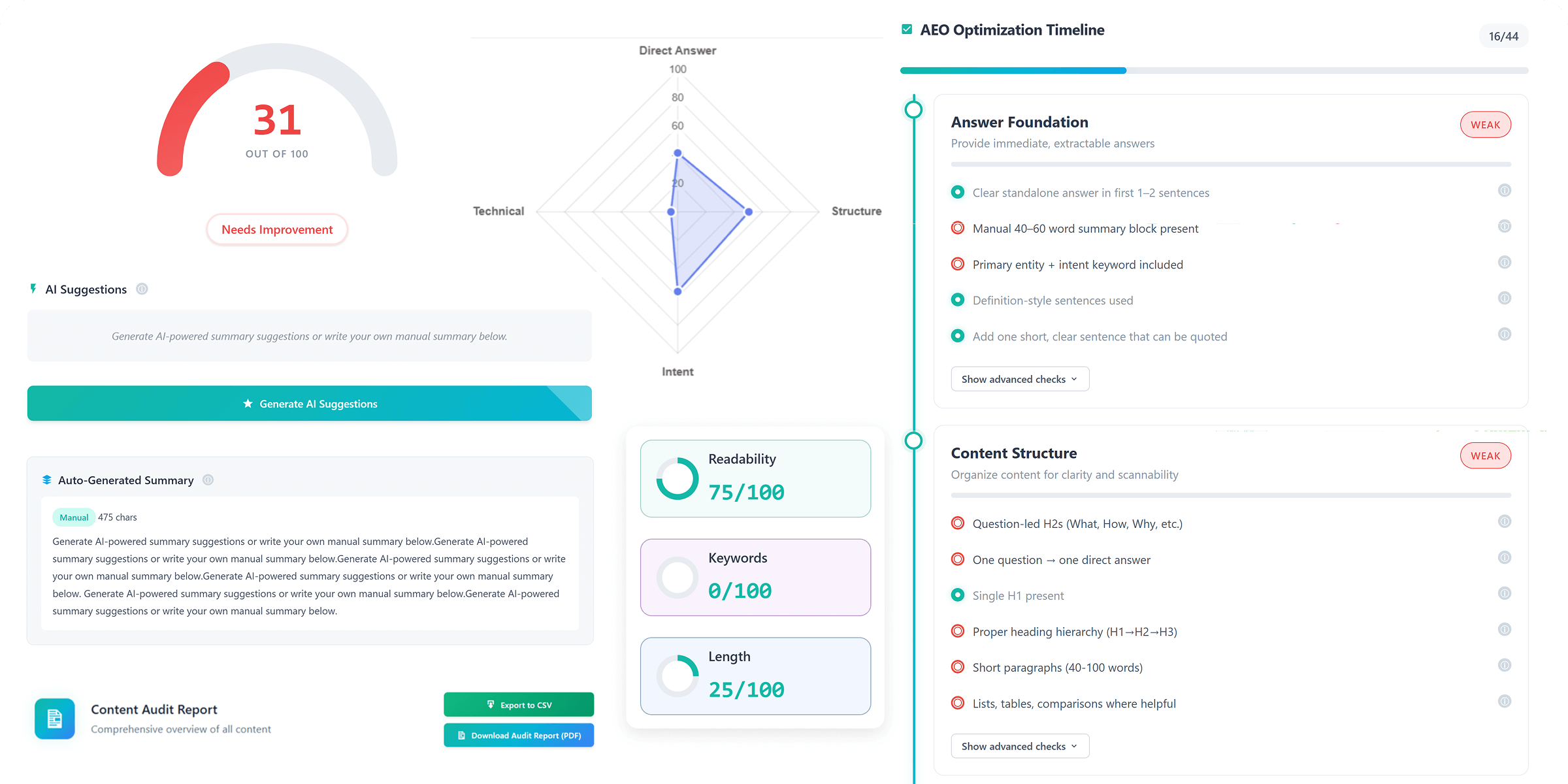
AI Answers Score analyzes your content in real time using a structured 5-stage Answer Engine Optimization framework. As you edit, your score updates instantly — no reloads, no delays. The vertical timeline checklist guides you through exactly what modern AI systems evaluate.

  • Answer Foundation – Clear, direct, extractable responses
  • Content Structure – Logical hierarchy and scannability
  • Semantic & Context Signals – Meaning-based relevance
  • AI Answer Readiness – Prompt-friendly clarity
  • Trust & Technical Confidence – E-E-A-T & technical signals
AEO WordPress Plugin

Advanced Dashboard
& Analytics

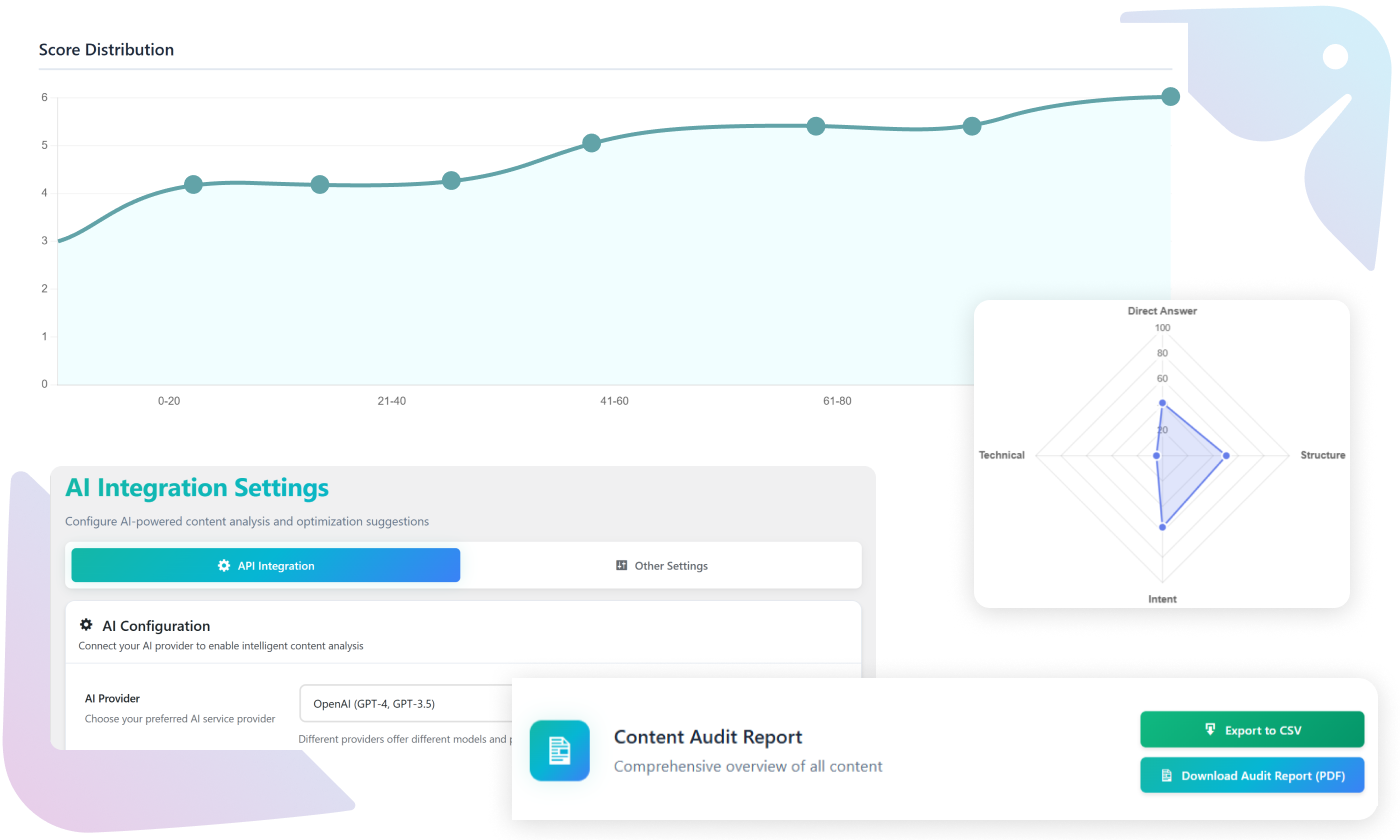
The built-in dashboard gives you full visibility into how your content performs across your entire website. From content teams to agencies, the dashboard gives operational control over AEO performance.

  • Average score overview across all posts
  • Filter by score range and post type
  • Category-level performance breakdown
  • Drift alerts and score discrepancies
  • CSV export & PDF audit reports
  • Bulk re-scoring capability
  • REST API access for advanced workflows
AEO WordPress Plugin

TESTIMONIALS

What People Are Saying

The 5-stage checklist is incredibly practical. It doesn’t overwhelm you — it guides you. Our average content quality improved within weeks, and the AI summary suggestions are surprisingly accurate.

Hamna Khan

Content Strategist, DigitalWave Agency

We’ve used dozens of SEO plugins over the years, but AI Answers Score feels like it was built for the next generation of search. The real-time scoring and structured framework completely changed how our writers approach content.

Daniel Carter

SEO Director, GrowthForge Media

What impressed me most is the drift detection and scoring architecture. It’s clearly engineered with precision. This isn’t a lightweight plugin — it’s a serious optimization system.

Michael Bennett

Technical SEO Consultant

The dashboard analytics alone justify the investment. Being able to filter posts by score range and track improvement over time gives us real operational control.

Sophia Nguyen

Founder, SmartContent Studio

The dashboard analytics alone justify the investment. Being able to filter posts by score range and track improvement over time gives us real operational control.

Fahd Bouazer

Founder, SmartContent Studio

The UI is beautiful, fast, and professional. It feels like a SaaS product living inside WordPress. My clients immediately see the value when I show them the AEO timeline.

Lewis Bertolucci

WordPress Developer & Publisher

Running a startup means I need results fast. The AI Library helped me automate proposals and client communication within days. Key Result: Landed 2 new clients in my first week of using it.

Matt Swain

Helping Entrepreneurs Build with AI

Frequently asked questions

An AEO WordPress plugin helps optimize your content for Answer Engine Optimization — making it easier for AI systems and modern search engines to extract, understand, and surface your answers. Unlike traditional SEO tools, AEO focuses on clarity, structure, extractability, and trust signals.

Traditional SEO focuses on rankings, backlinks, and keyword targeting. AEO focuses on how AI systems interpret and extract answers from your content. It prioritizes structured responses, semantic clarity, direct answers, and technical confidence rather than just keyword placement.

No. AI Answers Score complements your existing SEO plugin. It focuses specifically on Answer Engine Optimization and AI visibility, while your SEO plugin continues handling sitemaps, meta tags, and traditional optimization.

Yes. The plugin is designed to improve content extractability, structure, and AI-readiness — all factors that increase the likelihood of being surfaced in AI-driven search environments and answer-based results.

Absolutely. The built-in dashboard, filtering system, bulk re-scoring, export reports, and REST API access make it ideal for agencies, publishers, and content teams managing multiple posts or client sites.

No. AI Answers Score follows WordPress best practices, uses efficient meta storage, optimized queries, and controlled asset loading. It does not add unnecessary frontend bloat.